


-

Mimic Party
-

Blob Opera
-
The Choicest Voice
-

SpongeBob Is This How You Get Your Sick Kicks
-

Hiding from Randall Monsters Inc
-

Dance Moms – GET YOUR FINGER OUT OF MY FACE
-

Doppio switch into Diavolo
-

SpongeBob SquarePants – Insultin a mans ship
-

Ichigo vs Grimmjow
-
Family Guy Peter Does Crack
-

TAWOG Have You Noticed That Your Voice Has Changed – The Castle
-

Kung Fu Panda o sigma da Bahia
-
Peter Griffin Plays Call of Duty Dub
-
Stutter incident – Joe Bart
-
No This Is My Lolly

The Choicer Voicer
















![SEU MANIACO [PT-BR]](https://thechoicervoicergames.com/wp-content/uploads/2026/09/Seu-Maniaco_12_11zon-200x150.webp)





I didn’t expect to spend my first session with this game not playing it at all. I booted it up expecting a menu full of characters to pick from, and instead got a judge panel, an empty studio, and a folder waiting to be filled with something — anything. That’s the moment The Choicer Voicer either clicks for you or doesn’t, and it took me longer than I’d like to admit to figure out which side I landed on.
My First Hour Was Spent Building a Folder, Not Playing
The game ships with almost nothing built in, so the first real task isn’t a round at all — it’s dropping audio clips into a folder to make what the community calls a voice pack. I grabbed a handful of old sound bites I already knew by heart and tossed them in, figuring I’d sort out something better later. That turned out to be the right instinct: my first attempt at impersonating an unfamiliar clip scored noticeably worse than the ones I’d heard a hundred times before, which taught me more about how the judge panel actually grades than any menu screen did.
Pro Tip: Start your first pack with clips you can already recite without thinking — chasing an unfamiliar voice on your opening attempt in The Choicer Voicer almost always scores lower than material you know cold.
What surprised me was how quickly a five-clip folder ran dry. I burned through it in one sitting and assumed that was just how the game played — short and thin. It wasn’t until a friend passed me a pack she’d built with a couple dozen clips split by mood that I understood the actual shape of The Choicer Voicer: it’s not a game with a fixed amount of content, it’s a hobby that scales with however much you’re willing to keep feeding it.
It’s not a game with a fixed amount of content, it’s a hobby that scales with however much you’re willing to keep feeding it.
The Studio Surprised Me More Than I Expected
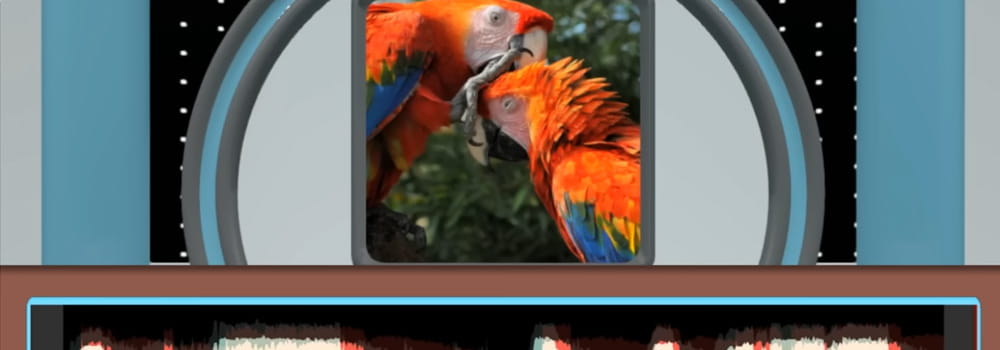
Once I had something worth performing, the main studio format is where I spent most of my time — a clip plays, you speak into the mic trying to land the delivery, and the judge panel scores the attempt. I went in assuming accuracy alone would carry me, matching pitch and wording as closely as I could. That wasn’t quite it. A few rounds in, I noticed timing and commitment seemed to matter just as much as a clean vocal match, even though the exact scoring logic stays hidden behind the curtain.
Playing solo felt fine but a little flat. It was only once I dragged two housemates into a session that the format actually came alive — trading turns, reacting to each other’s attempts, arguing with the judge panel’s calls between rounds. That’s a detail I only picked up from actually sitting through several sessions rather than reading about the studio beforehand.
The four-player local setup is the one wrinkle worth knowing about ahead of time. The multiplayer screen lets you assign a separate microphone to each of up to four players, and skipping that step on your first attempt is an easy way to end up with one person’s voice bleeding into someone else’s turn — which happened to us in round two before we figured out what was going on.
Getting My Microphone and Controls Sorted
- Mouse: handles everything outside of actual performing — picking a content pack, choosing a judge panel and host combination, moving through menus.
- Microphone: the entire input method once a round starts. There’s no controller layout to memorize because the game is built around your voice, not your thumbs.
- Per-player mic assignment: set individually on the multiplayer setup screen before a session begins — worth confirming every single time you’re playing with more than one person.
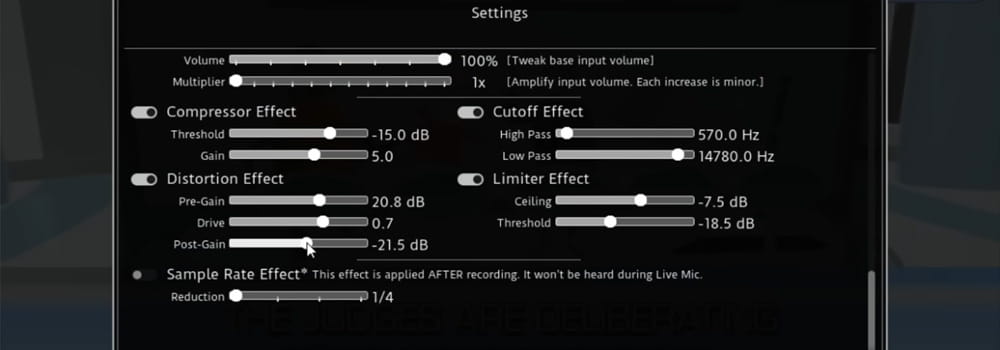
Beyond that short list, I never touched a settings menu again. The lightness of the control scheme is honestly one of the more underrated parts of the game — nothing stood between me and actually performing except the setup I’d already done myself.
Swapping Hosts Instead of Swapping Clips
By my third or fourth session with the same pack, I expected things to feel stale, and they did — for about five minutes. Then I opened the Customize menu and swapped both the host and the studio’s look without touching a single audio clip, and the whole session felt different in a way I wasn’t prepared for. A deadpan host reads the exact same clip completely differently than one built for big reactions, and that shift alone changed how the round felt even though the content and scoring hadn’t moved an inch.
I started thinking of the Customize menu almost as its own side activity, separate from building packs. Some players in the community lean into this harder than I do, putting together specific host-and-judge combinations the way you’d curate a playlist, then trading screenshots of setups they’re proud of. It’s a cheap way to reset a session that costs nothing but a couple of menu clicks.
Dub Mode Was a Different Kind of Session
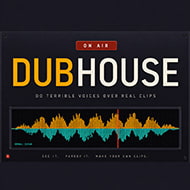
Dub Mode is the one part of the game that isn’t chasing a score at all. Instead of a judge panel grading a round, you’re recording a full voiceover pass over a scene, matching your delivery to the video in real time. I went in expecting something close to the studio experience and came out with something closer to a small production — the goal wasn’t points, it was ending up with a take I actually wanted to keep.
My results were inconsistent, and from what I’ve read in the community I’m not alone in that. My first two attempts synced cleanly; a longer scene on the third try had the audio land fine while the video refused to cooperate. That’s the kind of rough edge I’d rather be upfront about than pretend didn’t happen — some setups apparently sail through Dub Mode without issue, and others hit exactly what I hit.
Pro Tip: Run a short clip through Dub Mode before committing to anything longer. A fifteen-second test surfaces sync problems far faster than discovering them after several minutes of recorded dialogue.
Running a Round for My Own Chat
I eventually tried the Twitch-facing variant on a small stream, mostly out of curiosity. Instead of the computer-controlled judge panel, chat itself takes over the judging through commands, which changes the entire feel of a round — you’re no longer performing for an algorithm, you’re performing for people who might heckle you about it in real time. There’s also a content pack type built so viewers can vocalize themselves during the show rather than only voting, though I didn’t get that far into it on my first attempt.
Pro Tip: Explain the voting commands to chat before your very first round. A confused audience produces messier results than a genuinely harsh judge panel ever would — I learned this the hard way when half my chat missed the vote window entirely.
What struck me most was how little setup this variant needed once a pack was already loaded. It slotted into an existing stream segment far more easily than I expected from something built around live audio judging.
The Mic Bug That Almost Made Me Give Up
None of the above matters if the microphone won’t record, and for a while mine wouldn’t. The most consistently reported issue with this game is exactly that — recording simply fails partway through a round, tied specifically to surround-sound audio setups where the underlying input handling doesn’t line up cleanly with certain output configurations. It made a handful of my early sessions genuinely unplayable, and for a stretch I assumed I’d just have to give up on the game entirely.

The fix that eventually worked for me, and the one that comes up constantly in community discussion, was routing the game’s audio output through a spare device and monitoring that output externally so the recording still registered. It’s not built in, and it’s an annoying extra step for something that’s supposed to be quick to set up with friends — which is exactly why this issue dominates so much of the conversation around the game whenever it comes up. Players on a plain stereo setup apparently never run into any of this, while players on surround configurations can hit a wall that stops a session cold. That split is real, and it’s worth knowing about before you invite people over expecting a smooth first round.
Looking back, the whole experience — from the empty folder I started with to the mic workaround I eventually landed on — is really just a scoring engine and a microphone waiting for you to decide what to feed into it. What you get out of The Choicer Voicer depends far less on any menu than on how much you’re willing to build before you ever press record, and whether you’re patient enough to get past that surround-sound hiccup on the way there.
What you get out of The Choicer Voicer depends far less on any menu than on how much you’re willing to build before you ever press record, and whether you’re patient enough to get past that surround-sound hiccup on the way there.
Frequently Asked Questions
Does the game come with content already built in?
No. It ships with almost nothing pre-loaded — you build your own voice packs by dropping audio clips into a folder before you can play a round.
Will unfamiliar clips score as well as ones I know well?
Not usually. Clips you already know by heart tend to score noticeably better than unfamiliar ones, especially on your first attempts with a pack.
What does the judge panel actually score — just accuracy?
Accuracy alone isn’t the whole picture. Timing and commitment to the delivery appear to matter too, though the exact scoring logic isn’t shown to the player.
How many players can join a local session, and does each need their own mic?
Up to four players locally. Each one needs a microphone assigned individually on the multiplayer setup screen, or voices can bleed into each other’s turns.
What controls do I need to learn?
Very few. The mouse handles menus and pack/host selection, and the microphone is the only input once a round starts — there’s no controller scheme to memorize.
Is Dub Mode scored like the main studio rounds?
No. Dub Mode has no judge panel — you’re recording a voiceover pass over a scene, and the goal is a take you want to keep rather than a score.
Does Dub Mode always sync cleanly with the video?
Not always. Sync can be inconsistent, particularly on longer scenes, so it’s worth testing with a short clip before recording something long.
How does the Twitch-facing variant change judging?
Chat takes over judging through commands instead of the computer-controlled judge panel, so you’re performing for viewers rather than an algorithm.
Why does my microphone stop recording partway through a round?
This is the most commonly reported issue, and it’s tied specifically to surround-sound audio setups — plain stereo setups don’t seem to run into it.
Is there a fix for the surround-sound recording bug?
The workaround reported by the community is routing the game’s audio output through a spare device and monitoring that output externally so recording still registers. It isn’t a built-in fix.
Discussion
There are no reviews yet. Be the first one to write one.